First Beta Production Run — Open Now · 20 Devices Only

Never lose
a shot.

SnappVault is the on-site backup device built for working photographers. Plug in your cards. Walk away. Every frame is safe.

Reserve My Unit → See How It Works
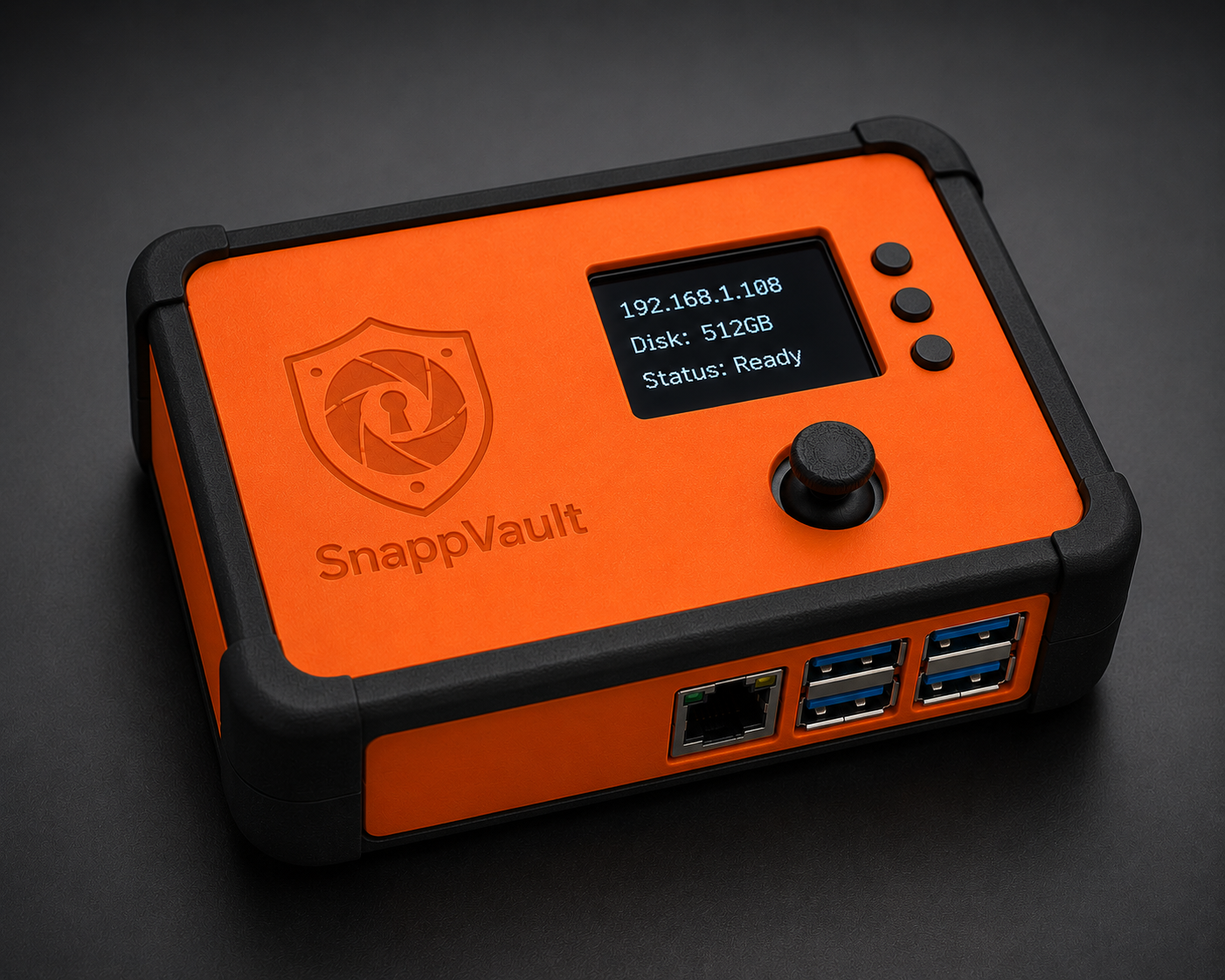
SnappVault device 3D Render 📷 See the real prototype

Currently in talks with manufacturers for production units

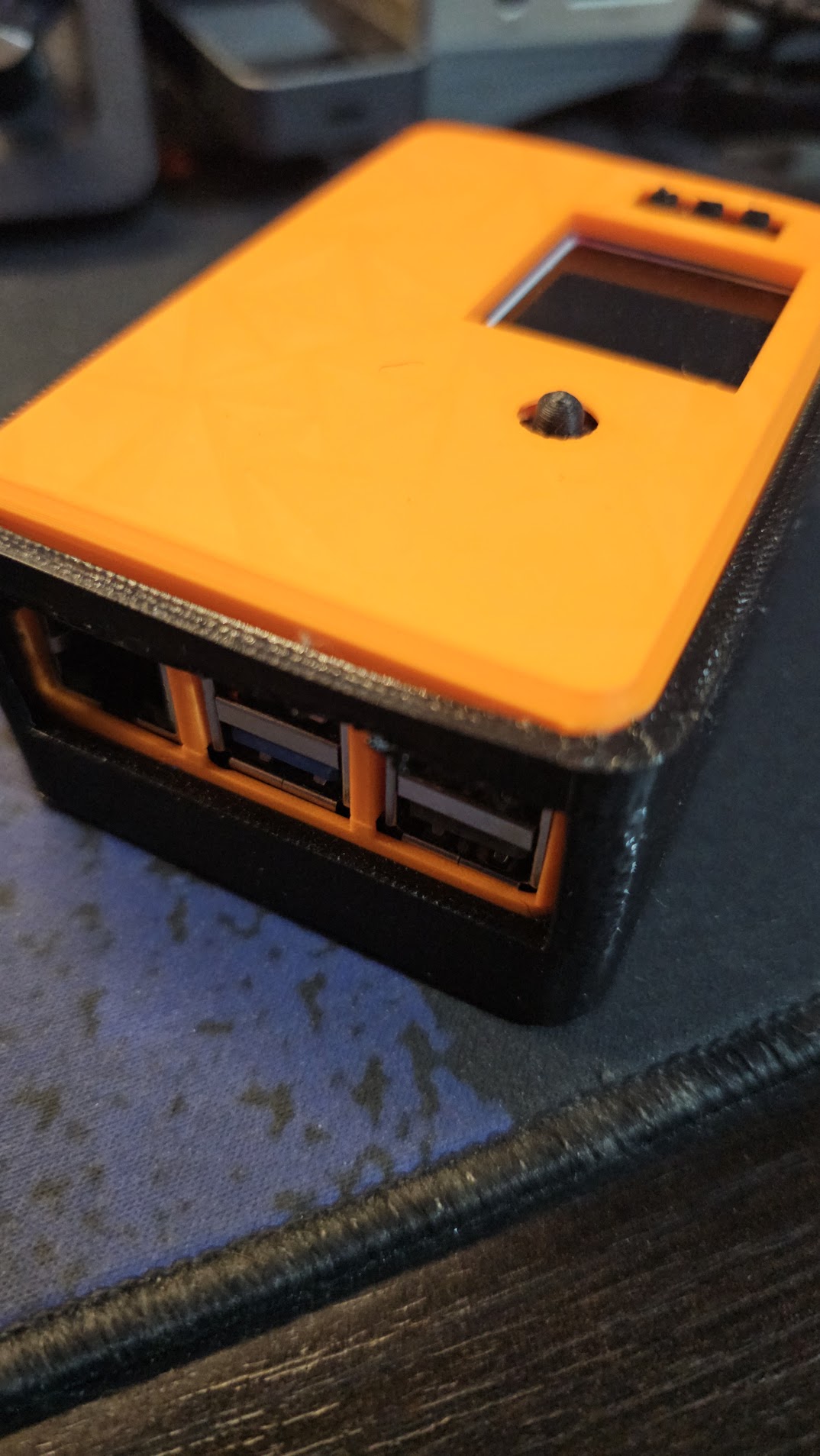
SnappVault real prototype Real prototype — 3D printed PETG case

The card was a microSD.
We thought it was gone.

Edward had just finished a shoot. The card was somewhere — in a pocket, a bag, somewhere in the car. Two hours of groom prep, possibly gone. We found it eventually. But the feeling of that search stays with you.

That's where SnappVault started.

Weddings, events, concerts, late-night gigs — the work is irreplaceable and there's no re-shooting it. We needed a backup solution that worked on-site, automatically, without a laptop staying awake in a bag or relying on venue WiFi.

The workflow now: power it on in the car. Cards read on the drive home. Walk in with the shoot already backed up. Plug into the power pack — ethernet if you remember — and sleep. By morning everything is on the NAS. Copy to the WIP drive, rename the upload folders to archive, delete from SnappVault, and you're clean for the next shoot.

Developed by GoannaAI Pty Ltd — based in Australia.

Memory cards fail.
Laptops get stolen.
Moments don't repeat.

You spend years building a reputation. One corrupted card, one stolen bag, one missed backup — and none of that matters anymore. SnappVault exists because that is not acceptable.

💾

Cards Corrupt

It doesn't happen often. But when it does, it's always on the shoot that mattered most.

💻

Laptops Are a Target

Your laptop in a bag in a car is not a backup strategy. It's a risk you take every single shoot.

☁️

Cloud Needs Internet

Remote venues. Outdoor locations. Basements. Cloud upload needs what you won't always have.

You're Already Exhausted

End of a ten-hour wedding. Manual backup is the last thing you want to think about. It shouldn't be your problem.

Four steps.
Zero thinking required.

1

Plug In Your Card

Insert your SD or CF card. SnappVault detects it the moment it makes contact.

2

Back Up Automatically

Every file is copied to the internal drive. No laptop. No app. No internet connection needed.

3

Sync to Your Network

Back at the studio or on your home WiFi? SnappVault quietly sends a second copy to your PC or NAS.

4

Sleep Easy

Green light. Job done. Your work is safe before you've packed up your kit.

One device.
One job done right.

Coming Soon
SnappVault
Dock

Your SnappVault snaps straight in. The Dock adds a large preview screen, extended battery, and SSD expansion — for the jobs that demand more.

  • Large screen — review and triage shots on-site
  • Triage directly on the device — rate, flag, and cull without a laptop
  • Extended battery — shoot all day with no power outlet
  • Built-in multi-card USB hub
  • 4-port SSD expansion bay
  • Your SnappVault docks in — no extra setup required
Register Interest

From $599 AUD  ·  Available after the first SnappVault run.

Built for the field.
Specced for professionals.

Everything you need to know before the first card goes in.

Internal storage
512 GB NVMe SSD 1 TB and 2 TB variants coming — pricing held until SSD market stabilises
Backup speed
Up to 900 MB/s Limited by your card reader and USB hub — fast readers run at full speed
Compatible media
18 categories — SD family, CFexpress, XQD, USB SSDs, direct camera connection, smartphones, drones, audio recorders, and more Full compatibility list below
File systems
exFAT · FAT32 · NTFS · ext4 · HFS+ · UDF Auto-detected — if it mounts on a PC or Mac, it works on SnappVault
Network — wired
Gigabit Ethernet built-in 2.5 GbE on supported network infrastructure
Network — wireless
802.11ac (Wi-Fi 5) ~108 MB/s typical — depends on premises WiFi and congestion
NAS & PC sync
SMB — syncs to any NAS or Windows / Mac PC on your network
Mobile app
iOS & Android Backup status, triage, star ratings, and NAS sync from your phone
Web interface
Full control from any browser on your network — no app required
Display
Built-in status screen — backup progress and storage at a glance
Power
USB-C · 5V / 5A (25W minimum) Camera batteries, V-mount adapters, and quality power banks work. Standard phone power banks do not — most only output 2A.
Dimensions & weight
90 × 65 × 40 mm · 190 g

If it holds footage,
SnappVault backs it up.

18 media categories. Cards, drives, cameras, phones, recorders. If it connects over USB, SnappVault knows what to do with it.

XQD
Older Nikon pro bodies · Some Sony systems
Via dedicated XQD readers or some CFexpress readers.
CompactFlash (CF)
Type I · Type II
Legacy DSLR bodies
Still relevant for photographers archiving older card collections.
CFast
CFast 2.0
Cinema cameras · Blackmagic workflows · Broadcast systems
Via USB-C CFast readers.
SxS
ENG cameras · Broadcast cameras
Via USB SxS readers and Thunderbolt docks.
P2 / microP2
Panasonic broadcast · TV and news production
Via dedicated readers and ingest stations.
Memory Stick Family
Memory Stick · PRO Duo · M2
Older Sony cameras
Via USB multi-card readers.
xD-Picture Card
Olympus · Fujifilm legacy cameras
Via older USB multi-card readers.
MMC (MultiMediaCard)
Readable via SD readers and multi-card readers.
USB Recording Media
Blackmagic cameras · iPhones (ProRes) · External recorders
Samsung T-series · SanDisk Extreme · Crucial X-series
Direct USB-C connection — increasingly common in modern workflows.
SATA SSDs
Removed from recorders · External enclosures
Via USB SATA docks and adapters.
NVMe SSDs
Cinema rigs · Field recorders · DIY workflows
Via USB NVMe enclosures.
Camera — direct USB
DSLRs · Mirrorless · Drones · Phones
MTP/PTP · Mass storage mode
Works — but direct connection can be slower and sleep-prone. Card removal is preferred where possible.
Smartphones
USB-C · Lightning (older iPhones)
Social shooters · Behind-the-scenes · iPhone ProRes recording
Drones
microSD · Internal flash
DJI · Autel Robotics
Via card removal or USB-C direct connection.
Audio Recorders
Zoom · Tascam · Rode
Via SD readers or USB direct. Relevant for full wedding audio workflows.
External Video Recorders
Atomos · Blackmagic Design
Via SSD removal or USB direct connection.

Questions answered
before you ask them.

Does it work without WiFi?+
Yes — SnappVault backs up to its internal SSD with no network required. WiFi and Ethernet are only used for syncing to your NAS or PC, which happens automatically when you're back at your studio or home. You can shoot all day in a remote venue and sync everything when you get home.
What happens if power cuts out during a backup?+
Your original card is never touched — SnappVault only reads from it. If power is lost mid-copy, the partial folder is flagged as incomplete on the display and in the web interface. Re-insert the card and SnappVault starts a fresh backup automatically.
Can it back up multiple cards at the same time?+
Yes. Connect a USB hub, plug in multiple card readers, and SnappVault runs a parallel backup for each one simultaneously. Each card gets its own timestamped folder. Common on large wedding days where the photographer and second shooter both need to offload at the same time.
What happens when the internal drive is full?+
The display and web interface both alert you when storage is running low. SnappVault never deletes files automatically — you decide what to remove, and only after you've confirmed your NAS copy is safe. The dashboard shows sync status per folder so you always know what's backed up offsite before you clear anything.
What file formats and card types does it support?+
Everything — SnappVault copies files as-is without inspecting them, so RAW, video, audio, and sidecar files are all handled identically. For media types, it supports 18 categories including the full SD family, CFexpress A/B/C, XQD, CF, CFast, USB SSDs, direct camera and phone connection, drones, audio recorders, and more. See the full compatibility list above.
Is there a subscription fee?+
No. SnappVault is a one-time purchase. There are no cloud fees, no monthly charges, and no account required. Your data stays on your device and your network — never on our servers.
Can I make a second copy in the field — without a laptop?+
Yes. Connect an external drive and SnappVault handles the rest — no laptop, no Mac, no PC required. From the built-in display you can copy everything across in one step. From the web interface or mobile app you can select specific folders if you only need part of the shoot. Walk away from a venue with two independent physical copies before you've even left the car park.
Why only one unit per customer?+
The first beta production run is limited to 20 devices, hand-assembled. One unit per customer ensures as many photographers as possible get access before the second run opens. If you need units for a team, get in touch directly — we'll work something out.
First beta production run — 20 devices only. One unit per customer. No exceptions.

This run won't
last long.

We're building the first batch by hand. Units are being allocated in strict order of registration. When they're gone, the next run won't open for months. Don't sit on this.

No payment now. We'll confirm your allocation by email.

SnappVault is built for photographers — but the problem it solves (verified USB media ingestion, offline-first, automatic network sync) shows up in broadcast production, industrial field ops, remote site data collection, and secure data transfer workflows too. If you're working outside photography and this sounds familiar, get in touch.